Hospital Database System (SQL/DB)
Overview
Designed a full 12-table hospital database system with enforced relationships, validation rules, and complete CRUD operations. Built UI forms for patient intake, appointments, billing, and medication management. Implemented transactional inserts, referential integrity, and reporting queries that summarize financial activity by department. A clean, scalable backend foundation for hospital operations.
What I Did
- Defined the business objective, metric targets, and analysis scope.
- Built and validated the data, modeling, and reporting workflow.
- Packaged outputs for stakeholder interpretation and decision support.
Results/Impact
Delivered an analysis workflow with decision-ready outputs and reusable artifacts.
Tech Stack
- Database Management, Programming, Project Management, UI/UX Design
Deliverables
Project Notes
Description: Designed a full 12-table hospital database system with enforced relationships, validation rules, and complete CRUD operations. Built UI forms for patient intake, appointments, billing, and medication management. Implemented transactional inserts, referential integrity, and reporting queries that summarize financial activity by department. A clean, scalable backend foundation for hospital operations. Skills Demonstrated: Database Management, Programming, Project Management, UI/UX Design Project Status: Completed
I built a relational database for a hospital so staff can manage patients, appointments, billing, insurance, and medications all in one place. The goal was simple: fewer errors, better access to the right information, and faster, more reliable care.
Executive Summary
- Objective: Create a relational database that supports patient care, staff operations, billing, and insurance claims.
- Scope: A 12-table ERD, intuitive UI forms, and full CRUD operations with transactional inserts.
- Outcome: A scalable schema with working examples for create/read/update/delete, and a framework for financial reporting and next steps.
Objective
Design a hospital database that can:
- Track patient demographics, history, and appointments.
- Coordinate doctors, nurses, and departments.
- Handle billing, insurance, and medication inventory.
- Improve data access and reduce errors.
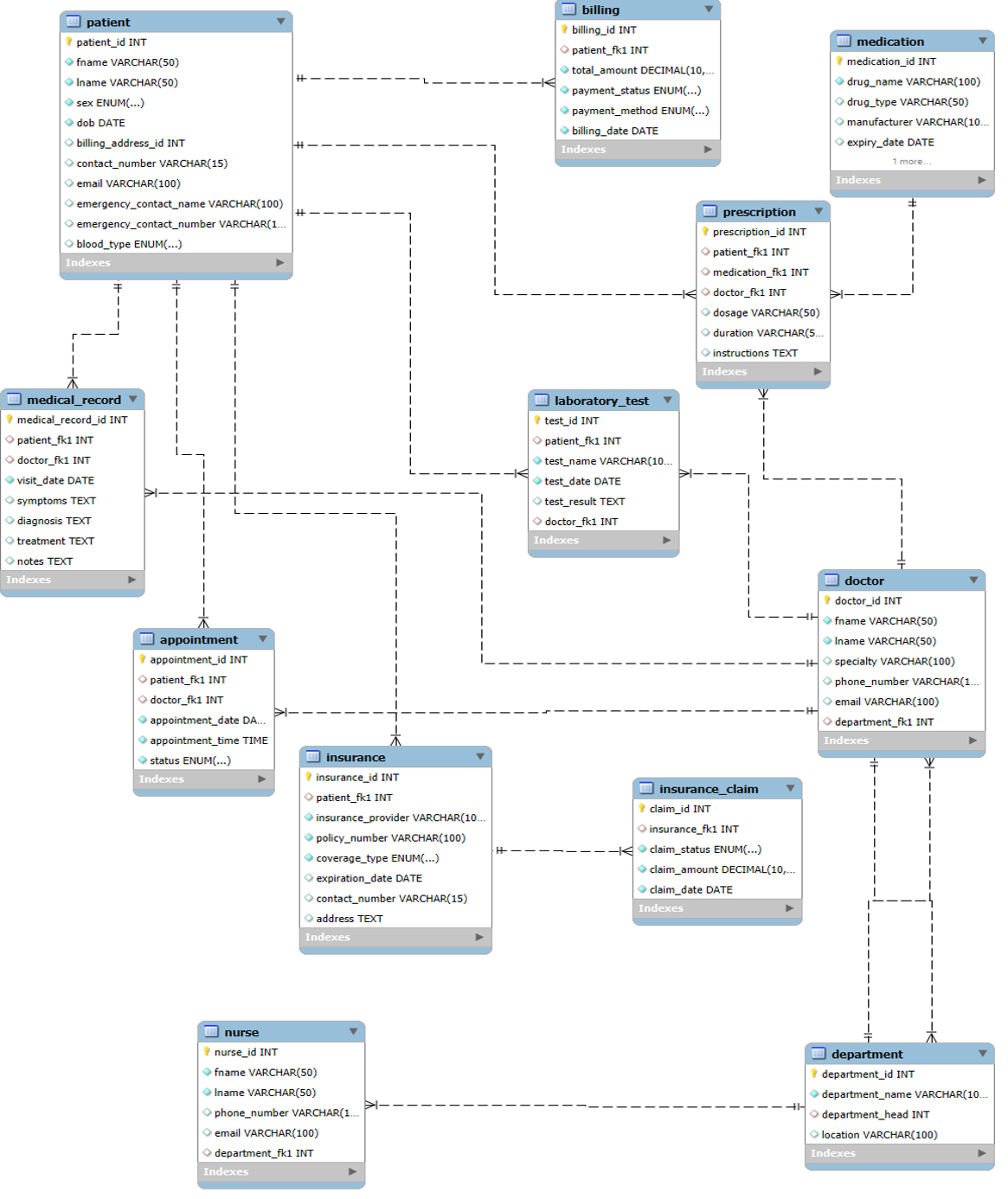
ERD Overview
Tables (12) and their purpose
- patient - Core record with name, blood type, and emergency contact.
- doctor and nurse - Separate tables for each role with department assignments.
- department - Organizes medical staff by specialty (e.g., Cardiology).
- appointment - Handles scheduling, completion, and cancellation.
- billing and insurance - Manage financials, payment status, and coverage type.
- medical_record, laboratory_test, prescription - Store treatment details.
- medication - Tracks stock quantity and expiration dates.
Naming conventions are consistent, and referential integrity is enforced across all relationships.
UI Forms
Goals: make the interface intuitive, efficient, and secure.
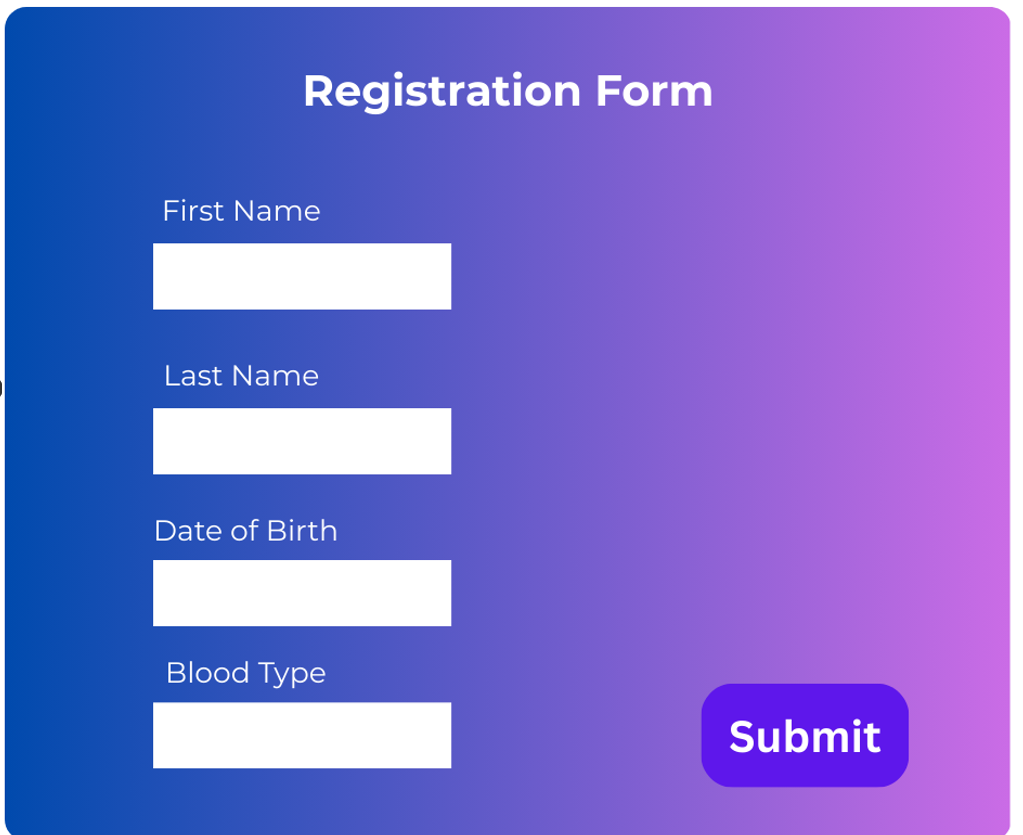
- Patient Registration: Includes fields like first name, last name, date of birth, and blood type. Required fields keep registration quick and accurate.
- Appointment Booking: Uses dropdowns for doctors and departments, with date and time pickers for easy scheduling.
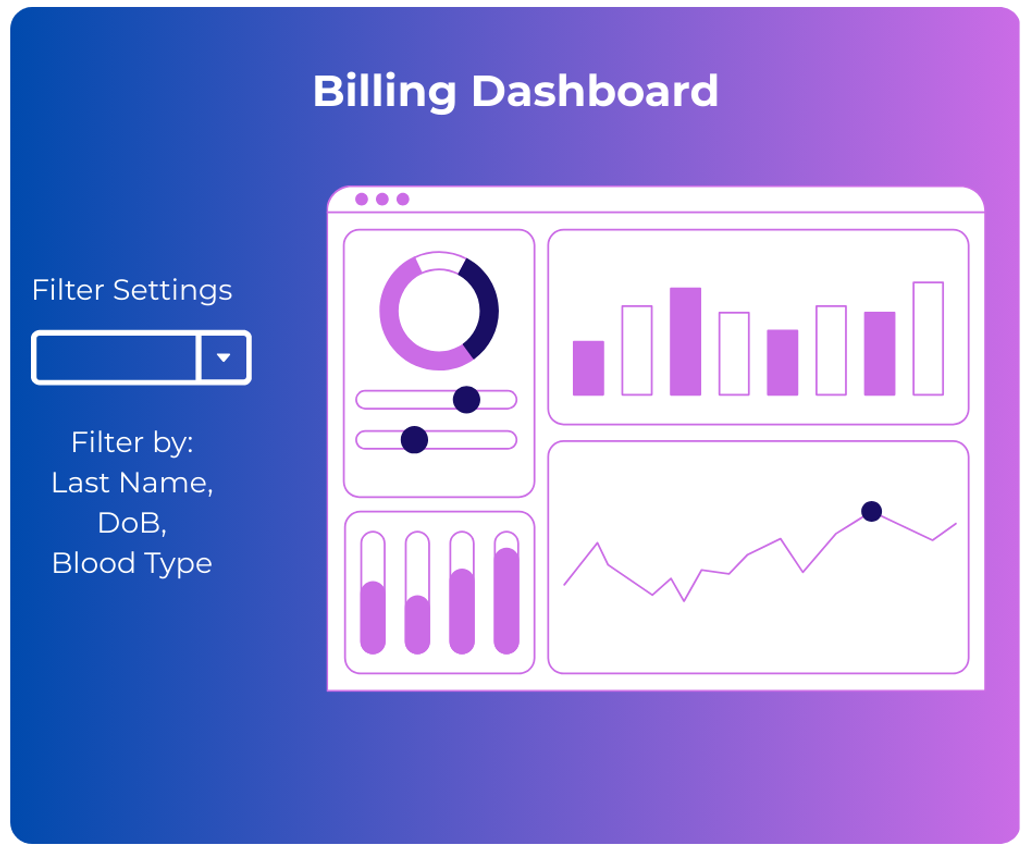
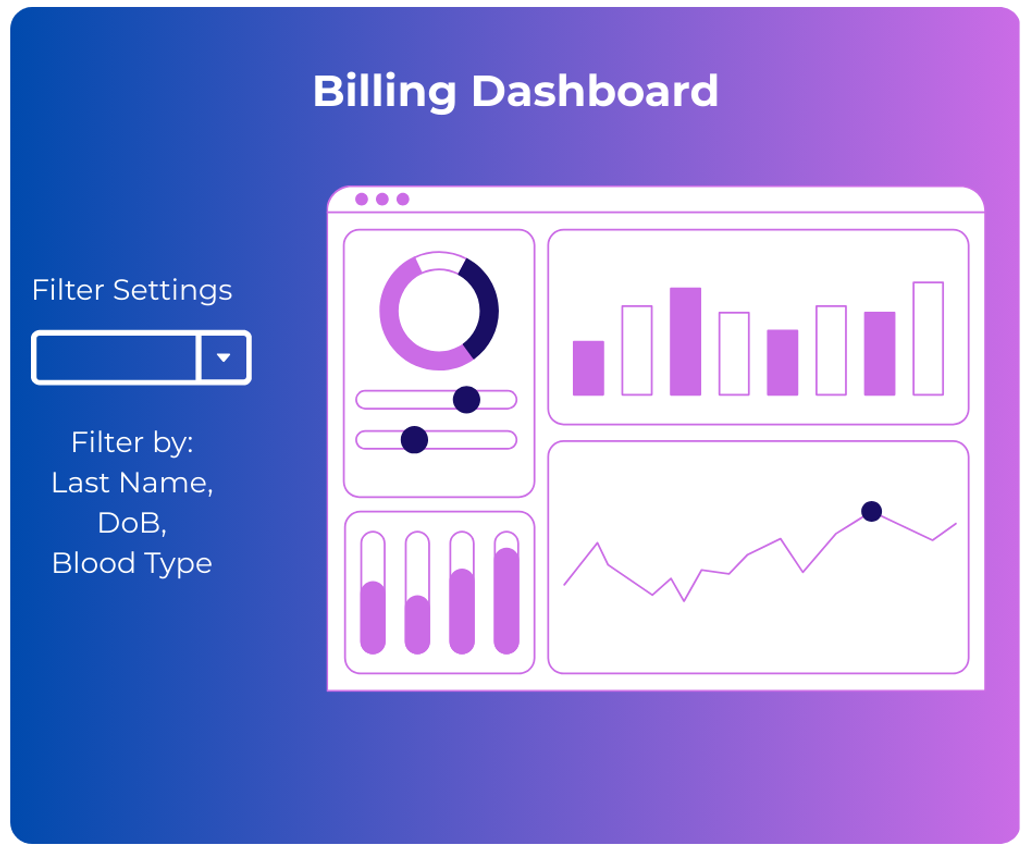
- Billing Dashboard: Displays total amount, payment status, and insurance links so staff have everything in one view.
Helpful extras:
Search by last name or patient ID. Validate appointment dates to prevent past bookings. Maintain minimum stock levels. Add alerts for expiring medications or pending payments. These small details save time and prevent mistakes.
Inserts and Transactions
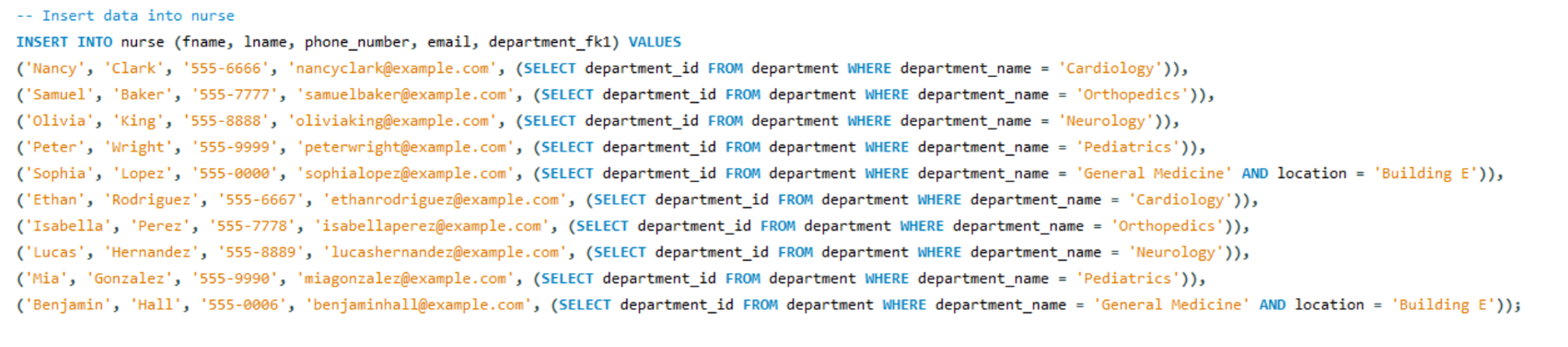
I wrote dynamic INSERT statements with subqueries and wrapped them in transactions for consistency. This ensures all related data loads correctly and commits only when the full set is valid.
CRUD Operations
- Create and Read: Standard INSERTs and SELECT statements for testing data integrity.
- Update: Adjusts record statuses safely while preserving foreign key integrity.
- Delete: Removes cancelled or invalid entries without breaking constraints.


Advanced Example
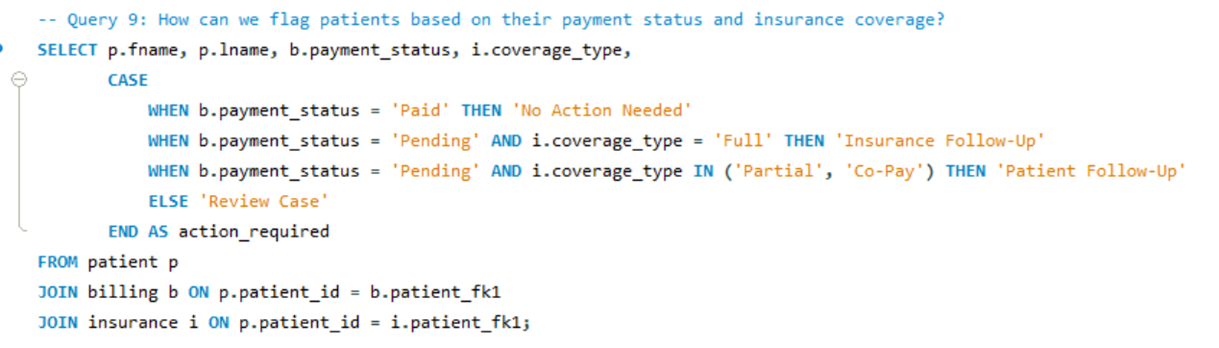
For financial insights, I created a query that summarizes billing by department using a CASE expression to categorize records by payment status and coverage type. This helps staff identify unpaid or partially covered cases.
Query Gallery
I grouped queries into sets to show how they build on each other.
Queries 1-3
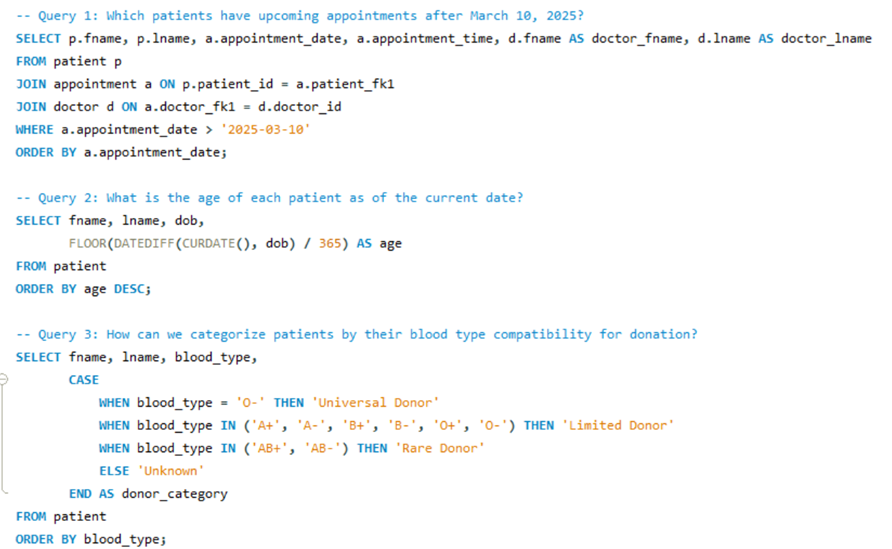
Notes: basic retrievals and staff reference queries.
Queries 4-6
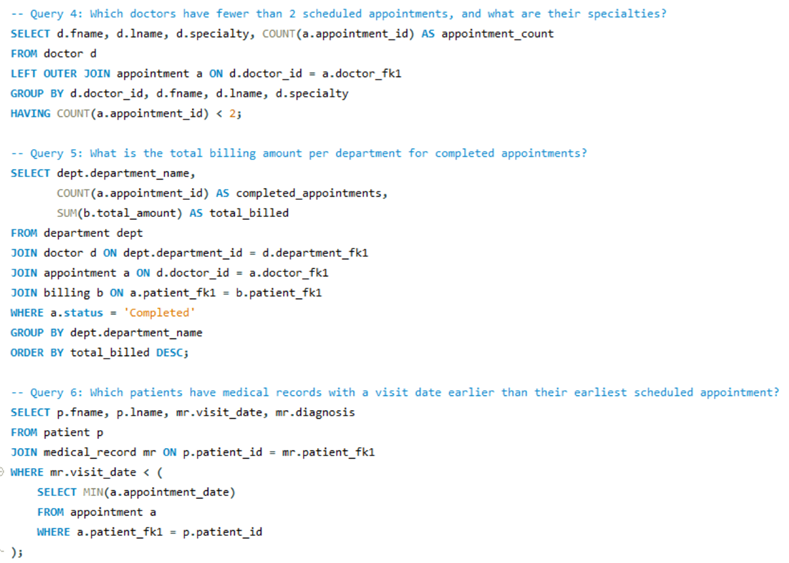
Notes: joins and indexing for performance optimization.
Queries 7-9
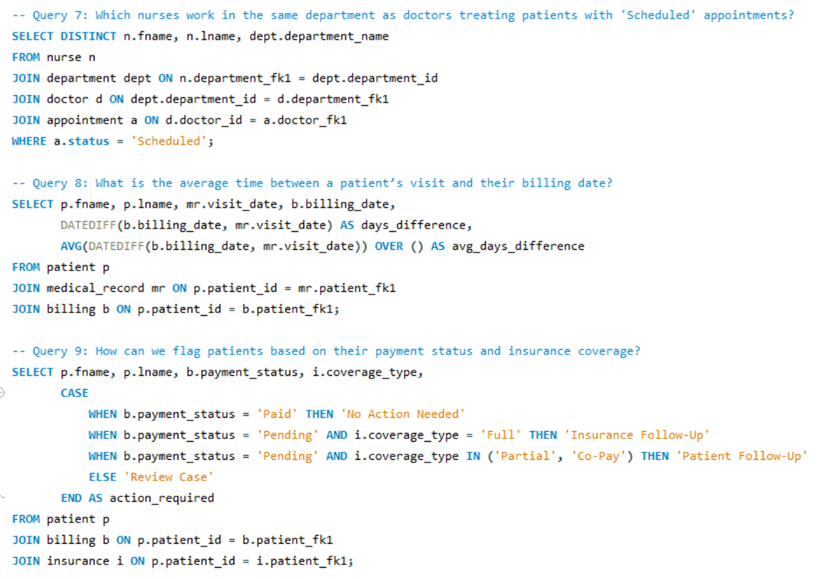
Notes: validation and data consistency checks.
Queries 10-12
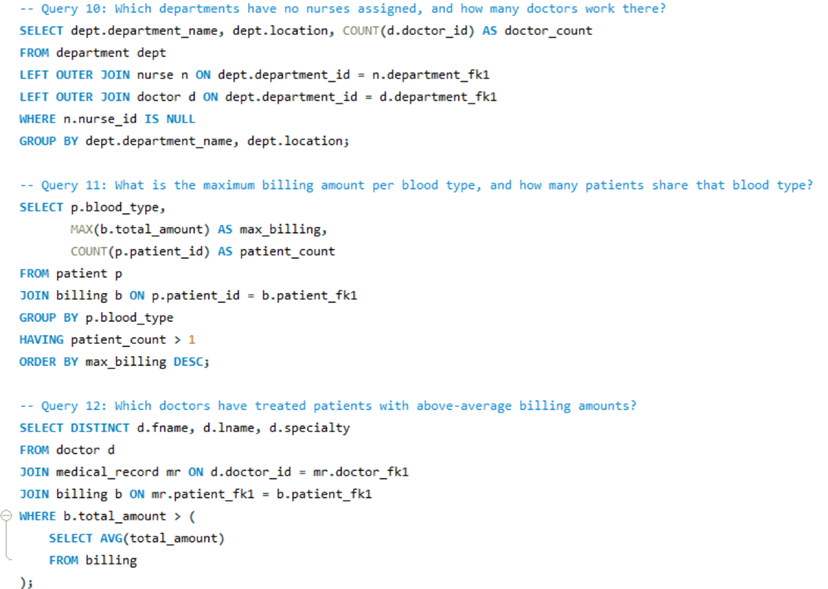
Notes: administrative summaries and export-ready outputs.
What I Learned
I learned that hospital databases are about structure and trust. The 12-table ERD built the backbone. Validation rules and form design kept the data clean. Transactions protected consistency. And small touches like CASE reports made the data actually useful for real decisions.
Conclusion
- Built a scalable 12-table hospital database.
- Designed user-friendly UI forms.
- Implemented and tested full CRUD functionality.
- Added safeguards through transactions and validation.
- Future steps: build a patient portal and connect analytics through Power BI.
Appendix
Attribution
Designed and developed by Markuss Saule.